Yep, we may get a tiny thank-you (read: commission) when you buy through
links on Gadgetspotr — not enough for a yacht, but enough to keep the lights (and
servers) on.
Learn more
33
Highlights
53
Differences
10
Reactions
0
Likes
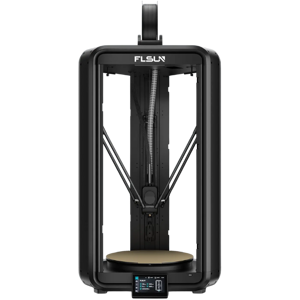
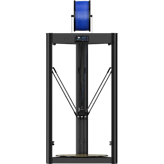
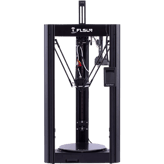
FLSUN S1
vs
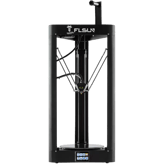
FLSUN T1 Max:
33 Highlights & 53 Differences —
So, Which 3D Printer Actually Works Better
Understand which model better matches your priorities: a clean build environment or advanced monitoring and file format support.
Still unsure which to go for? We unpacked the vibration sensor, width, depth & weight and smart features of FLSUN S1 and FLSUN T1 Max so you don’t miss out.
FLSUN S1 Vs FLSUN T1 Max: A Detailed Comparison to Find Your Perfect 3D Printer
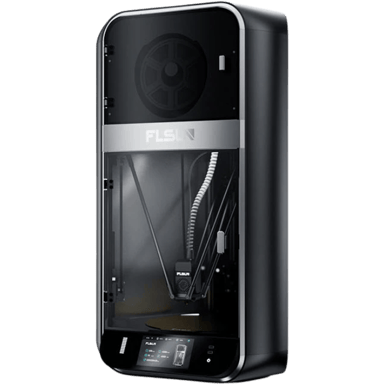
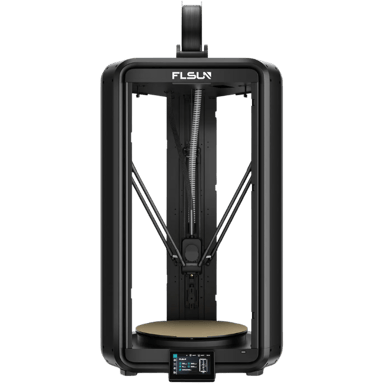
When diving into the world of Delta 3D printers, two contenders from FLSUN stand out: the FLSUN S1 and the FLSUN T1 Max. Both models showcase the same fundamental Delta architecture designed to deliver precision 3D printing with effective speeds around 300 mm/s. However, each takes its own approach in balancing print volume, power consumption, enclosure configuration, and feature sets. The S1 leans toward a more robust, enclosed workstation ideal for safety-conscious users, while the T1 Max targets professionals looking for fine resolution and energy savings in a smaller footprint. With build volumes hovering near 1700 cm³ for the S1 and 1900 cm³ for the T1 Max, and layer resolutions ranging from 100 microns for the S1 to as fine as 50 microns on the T1 Max, these models appeal to fairly different priorities despite their shared core functionality.
A Closer Look at the FLSUN S1: Powerhouse with Safety and Size
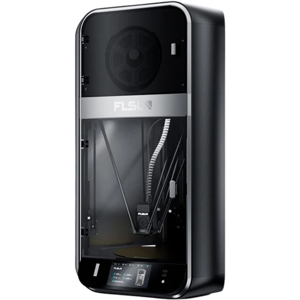
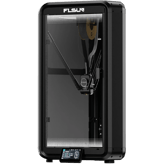
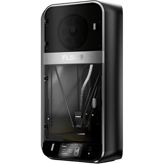
The FLSUN S1 stands out for its emphasis on a well-contained printing environment. With a large 12.6-inch cubic build volume (about 1730 inch³), this printer is tailored for users who need a generous printing space. Its fully enclosed frame, combined with a HEPA air filtration system, creates a safer and cleaner printing atmosphere, reducing the exposure to potentially harmful particulates and fumes; a notable edge for home or office settings concerned with air quality.
The S1's significant power consumption of 1300 W reflects the muscle it commands, which supports its higher top speed of up to 1200 mm/s officially (with an effective speed at 300 mm/s). Also, it operates quietly with an idle noise level of 40 dB, making it less intrusive during longer prints. Safety isn't overlooked either, with 3 built-in safety sensors enhancing operational security, a feature not found in the T1 Max. The S1 is loaded with practical features like filament auto-loading and straightforward firmware updates, all served up on a crisp 5-inch screen.
Exploring the FLSUN T1 Max: Precision and Efficiency in a Compact Package
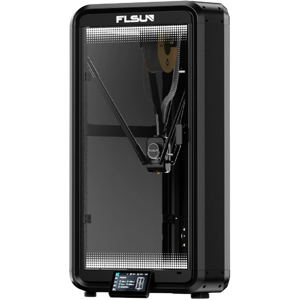
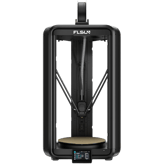
In contrast, the FLSUN T1 Max delivers a slightly larger build volume of nearly 1922 inch³ while boasting a much smaller physical footprint; only 19.29 inches tall and weighing about 34 lbs. This makes it ideal for smaller workspaces where space is at a premium. While the T1 Max foregoes enclosure and air filtration, it compensates with superior precision, offering a minimum layer resolution of 50 microns compared to the S1's 100 microns. This finer control is crucial for highly detailed prints often demanded by professionals or advanced hobbyists.
The printer is also more energy-conscious, consuming just around 600 W, which is less than half of the S1's power draw. This efficiency aligns well with its target audience. Software-wise, the T1 Max supports a broader array of popular file formats like STL, OBJ, and 3MF in addition to G-code, coupled with advanced features such as a usage analytics dashboard and vibration sensors for active print monitoring. Users benefit from maintenance reminder notifications that help keep the printer in optimal shape, reducing downtime. The screen is slightly smaller at 4.3 inches, but still intuitive and capable. Safety certifications are comprehensive, including CE, FCC, and RoHS, though the lack of real-time safety sensors might raise concerns in certain environments.
Quick Take: Two Solid Choices for Different Priorities
The FLSUN S1 impresses with its robust enclosed design, strong power delivery, and filtration system, making it more suitable for printing environments where air quality and safety are paramount. Meanwhile, the FLSUN T1 Max delivers exceptional precision and a compact frame, perfect for users focused on finer detail and energy efficiency without the need for an enclosed build chamber.
Bottom Line: Which FLSUN Model Should You Pick?
Ultimately, if your workspace can accommodate it and you want peace of mind from a fully enclosed, HEPA-filtered print zone, along with slightly faster print capabilities, the FLSUN S1 is the better fit. On the other hand, if you prioritize professional-grade accuracy, wider file format support, and a printer that fits into tight spaces with a low energy footprint, the FLSUN T1 Max is your ideal companion.
For users ready to invest in the S1, it's available for about $899 at amazon.com, reflecting its capable hardware and design focus.
Verdict
Winner: FLSUN S1 - For those seeking a large, fully enclosed printer with advanced air filtration and quiet operation, ideal for safer, larger-scale projects.
Runner-up: FLSUN T1 Max - A strong choice for users who need fine detail, multiple file format support, and energy efficiency in a compact, professional-grade printer.
Side by side. The numbers. The features. No drama.
Not sure which smart tech to go for? We compared FLSUN S1 vs FLSUN T1 Max down to every detail — including specs, perks, and what users are really saying.
FLSUN S1 is intended for Consumer use only, whereas FLSUN T1 Max targets both Consumer and Professional markets, indicating T1 Max has broader user applicability.
Identifies the main user category.
In the battle of Intended Use,
FLSUN S1 ◉ is
same as
FLSUN T1 Max ◉
.
Don’t keep it to yourself — be the first to react and review the
Intended Use on FLSUN S1 ◉
vs FLSUN T1 Max ◉ and help others decide!
0
FLSUN T1 Max
0Votes
Prototyping, Miniatures, Engineering
FLSUN T1 Max
This 3D printer is suitable for a variety of applications, including Prototyping new designs, creating detailed Miniatures, and fabricating functional Engineering parts.
Lists the most common applications supported.
In the battle of Supported Applications,
FLSUN S1 ◉ is
same as
FLSUN T1 Max ◉
.
Don’t keep it to yourself — be the first to react and review the
Supported Applications on FLSUN S1 ◉
vs FLSUN T1 Max ◉ and help others decide!
Who knows?
0Votes
FLSUN T1 Max
(Help us out by suggesting one!)
vs
Package Weight
The Package Weight for FLSUN S1 is 112.44 lbs while it is unavailable for FLSUN T1 Max, so comparison on packaging weight is not possible.
total shipping weight including packaging.
Don’t keep it to yourself — be the first to react and review the
Package Weight on FLSUN S1 ◉
vs FLSUN T1 Max ◉ and help others decide!
Height
What is the printer’s height?
40.55
inch
0Votes
19.29
inch
0Votes
vs
Height
FLSUN S1 has a Height of 40.55 inches, significantly taller than the 19.29 inches height of FLSUN T1 Max, which may affect placement options.
The total external height of the printer.
In the battle of Height,
FLSUN S1 ◉ is
worse than
FLSUN T1 Max ◉
, delivering
higher
21.3 inch
measurement.
Don’t keep it to yourself — be the first to react and review the
Height on FLSUN S1 ◉
vs FLSUN T1 Max ◉ and help others decide!
Package Height
What is the package height?
43.31
inch
0Votes
Who knows?
0Votes
FLSUN T1 Max
(Help us out by suggesting one!)
FLSUN S1
The package height is 43.31 inches (109.91 cm), which is useful for logistics and storage planning before assembly.
Height of the printer’s packaging.
Don’t keep it to yourself — be the first to react and review the
Package Height on FLSUN S1 ◉
vs FLSUN T1 Max ◉ and help others decide!
Folded Width
What is the folded width?
Who knows?
0Votes
FLSUN S1
(Help us out by suggesting one!)
Who knows?
0Votes
FLSUN T1 Max
(Help us out by suggesting one!)
Width of the printer when folded (if applicable).
Don’t keep it to yourself — be the first to react and review the
Folded Width on FLSUN S1 ◉
vs FLSUN T1 Max ◉ and help others decide!
Folded Depth
What is the folded depth?
Who knows?
0Votes
FLSUN S1
(Help us out by suggesting one!)
Who knows?
0Votes
FLSUN T1 Max
(Help us out by suggesting one!)
Depth of the printer when folded.
Don’t keep it to yourself — be the first to react and review the
Folded Depth on FLSUN S1 ◉
vs FLSUN T1 Max ◉ and help others decide!
Folded Height
What is the folded height?
Who knows?
0Votes
FLSUN S1
(Help us out by suggesting one!)
Who knows?
0Votes
FLSUN T1 Max
(Help us out by suggesting one!)
Height of the printer when folded.
Don’t keep it to yourself — be the first to react and review the
Folded Height on FLSUN S1 ◉
vs FLSUN T1 Max ◉ and help others decide!
Package Width
What is the package width?
24.41
inch
0Votes
Who knows?
0Votes
FLSUN T1 Max
(Help us out by suggesting one!)
Width of the printer’s packaging.
Don’t keep it to yourself — be the first to react and review the
Package Width on FLSUN S1 ◉
vs FLSUN T1 Max ◉ and help others decide!
Package Depth
What is the package depth?
25.98
inch
0Votes
Who knows?
0Votes
FLSUN T1 Max
(Help us out by suggesting one!)
Depth of the printer’s packaging.
Don’t keep it to yourself — be the first to react and review the
Package Depth on FLSUN S1 ◉
vs FLSUN T1 Max ◉ and help others decide!
Build-to-Printer Size Ratio
What is the build-to-printer size ratio?
55
%
0Votes
16.02
%
0Votes
vs
Build-to-Printer Size Ratio
The Build-to-Printer Size Ratio is 55% for FLSUN S1 compared to 16.02% for FLSUN T1 Max, meaning S1's build volume occupies a larger proportion relative to its size.
The efficiency ratio of build volume relative to the overall printer size.
In the battle of Build-to-Printer Size Ratio,
FLSUN S1 ◉ is
better than
FLSUN T1 Max ◉
, delivering
higher
39.0 %
measurement.
Don’t keep it to yourself — be the first to react and review the
Build-to-Printer Size Ratio on FLSUN S1 ◉
vs FLSUN T1 Max ◉ and help others decide!
Space Requirement
What is the space requirement?
6
sq ft
0Votes
3.26
sq ft
0Votes
vs
Space Requirement
The Space Requirement for FLSUN S1 is 6 sq ft, whereas for FLSUN T1 Max it is 3.26 sq ft, indicating T1 Max requires less physical space.
The minimum flat surface area needed to safely place the printer.
In the battle of Space Requirement,
FLSUN S1 ◉ is
worse than
FLSUN T1 Max ◉
, delivering
higher
2.7 sq ft
measurement.
Don’t keep it to yourself — be the first to react and review the
Space Requirement on FLSUN S1 ◉
vs FLSUN T1 Max ◉ and help others decide!
Maximum Layer Resolution is 400 microns for FLSUN S1 and 300 microns for FLSUN T1 Max, showing S1 can print thicker layers than T1 Max.
Thickest layer height achievable.
In the battle of Layer Resolution Maximum,
FLSUN S1 ◉ is
better than
FLSUN T1 Max ◉
, delivering
higher
100.0 microns
measurement.
Don’t keep it to yourself — be the first to react and review the
Layer Resolution Maximum on FLSUN S1 ◉
vs FLSUN T1 Max ◉ and help others decide!
Extruder Drive Type
What type of extruder drive does it use?
0
FLSUN S1
0Votes
Direct Drive
0
FLSUN T1 Max
0Votes
Direct Drive
FLSUN S1
A Direct Drive extruder mounts the motor directly above the hotend, offering better control for flexible filaments and reducing stringing.
FLSUN T1 Max
The printer utilizes a Direct Drive extruder, where the motor is positioned directly above the hotend, offering superior control over filament feeding, especially for flexible materials.
The type of filament feeding system.
In the battle of Extruder Drive Type,
FLSUN S1 ◉ is
same as
FLSUN T1 Max ◉
.
Don’t keep it to yourself — be the first to react and review the
Extruder Drive Type on FLSUN S1 ◉
vs FLSUN T1 Max ◉ and help others decide!
Build Depth
What is the build depth?
12.6
inch
0Votes
11.81
inch
0Votes
vs
Build Depth
The Build Depth of FLSUN S1 is 12.6 inches, slightly larger than 11.81 inches of FLSUN T1 Max, suggesting S1 allows somewhat deeper prints.
Maximum printable depth of the build area.
In the battle of Build Depth,
FLSUN S1 ◉ is
better than
FLSUN T1 Max ◉
, delivering
higher
0.8 inch
measurement.
Don’t keep it to yourself — be the first to react and review the
Build Depth on FLSUN S1 ◉
vs FLSUN T1 Max ◉ and help others decide!
Standard Nozzle Diameter
What is the standard nozzle diameter?
0.4
mm
0Votes
0.4
mm
0Votes
FLSUN T1 Max
The standard nozzle diameter for this printer is 0.4 mm, a common size that offers a good balance between print speed and detail.
Default nozzle diameter provided.
In the battle of Standard Nozzle Diameter,
FLSUN S1 ◉ is
same as
FLSUN T1 Max ◉
, delivering
equal
0.40 mm
measurement.
Don’t keep it to yourself — be the first to react and review the
Standard Nozzle Diameter on FLSUN S1 ◉
vs FLSUN T1 Max ◉ and help others decide!
Filament Diameter Supported
What filament diameter is supported?
1.75
mm
0Votes
1.75
mm
0Votes
FLSUN T1 Max
This printer is designed to be used with filament that has a standard diameter of 1.75 mm.
The filament size compatible with printer.
In the battle of Filament Diameter Supported,
FLSUN S1 ◉ is
same as
FLSUN T1 Max ◉
, delivering
equal
1.75 mm
measurement.
Don’t keep it to yourself — be the first to react and review the
Filament Diameter Supported on FLSUN S1 ◉
vs FLSUN T1 Max ◉ and help others decide!
Hotend Replaceable
Is the hotend replaceable?
Yes
0Votes
FLSUN S1
Yes
0Votes
FLSUN T1 Max
FLSUN S1
The hotend is replaceable, allowing for easy upgrades or replacements in case of wear or damage, which extends the printer's lifespan.
Whether the hotend can be replaced.
In the battle of Hotend Replaceable,
FLSUN S1 ◉ is
same as
FLSUN T1 Max ◉
.
Don’t keep it to yourself — be the first to react and review the
Hotend Replaceable on FLSUN S1 ◉
vs FLSUN T1 Max ◉ and help others decide!
Build Width
What is the build width?
12.6
inch
0Votes
11.81
inch
0Votes
vs
Build Width
FLSUN S1 has a Build Width of 12.6 inches compared to 11.81 inches for FLSUN T1 Max, giving S1 a marginally wider build area.
Maximum printable width of the build area.
In the battle of Build Width,
FLSUN S1 ◉ is
better than
FLSUN T1 Max ◉
, delivering
higher
0.8 inch
measurement.
Don’t keep it to yourself — be the first to react and review the
Build Width on FLSUN S1 ◉
vs FLSUN T1 Max ◉ and help others decide!
Layer Resolution Minimum
What is the minimum layer resolution?
100
microns
0Votes
50
microns
0Votes
vs
Layer Resolution Minimum
The Minimum Layer Resolution is 100 microns for FLSUN S1 and 50 microns for FLSUN T1 Max, meaning T1 Max can print finer details.
Finest layer height achievable.
In the battle of Layer Resolution Minimum,
FLSUN S1 ◉ is
worse than
FLSUN T1 Max ◉
, delivering
higher
50.0 microns
measurement.
Don’t keep it to yourself — be the first to react and review the
Layer Resolution Minimum on FLSUN S1 ◉
vs FLSUN T1 Max ◉ and help others decide!
Max Extruder Temperature
What is the max extruder temperature?
662
°F
0Votes
572
°F
0Votes
Maximum heating capability of extruder.
In the battle of Max Extruder Temperature,
FLSUN S1 ◉ is
better than
FLSUN T1 Max ◉
, delivering
higher
90.0 °F
measurement.
Don’t keep it to yourself — be the first to react and review the
Max Extruder Temperature on FLSUN S1 ◉
vs FLSUN T1 Max ◉ and help others decide!
Min Extruder Temperature
What is the min extruder temperature?
68
°F
0Votes
68
°F
0Votes
Lowest operable extruder temperature.
In the battle of Min Extruder Temperature,
FLSUN S1 ◉ is
same as
FLSUN T1 Max ◉
, delivering
equal
68.00 °F
measurement.
Don’t keep it to yourself — be the first to react and review the
Min Extruder Temperature on FLSUN S1 ◉
vs FLSUN T1 Max ◉ and help others decide!
Max Bed Temperature
What is the max bed temperature?
248
°F
0Votes
212
°F
0Votes
Maximum heated bed temperature.
In the battle of Max Bed Temperature,
FLSUN S1 ◉ is
better than
FLSUN T1 Max ◉
, delivering
higher
36.0 °F
measurement.
Don’t keep it to yourself — be the first to react and review the
Max Bed Temperature on FLSUN S1 ◉
vs FLSUN T1 Max ◉ and help others decide!
Bed Temperature Gradient
What is the bed temperature gradient?
9
°F
0Votes
Who knows?
0Votes
FLSUN T1 Max
(Help us out by suggesting one!)
Variance in heat across the bed surface.
Don’t keep it to yourself — be the first to react and review the
Bed Temperature Gradient on FLSUN S1 ◉
vs FLSUN T1 Max ◉ and help others decide!
Heated Chamber
Does the printer have a heated chamber?
No
0Votes
FLSUN S1
No
0Votes
FLSUN T1 Max
Whether the printer has a heated build chamber.
In the battle of Heated Chamber,
FLSUN S1 ◉ is
same as
FLSUN T1 Max ◉
.
Don’t keep it to yourself — be the first to react and review the
Heated Chamber on FLSUN S1 ◉
vs FLSUN T1 Max ◉ and help others decide!
Chamber Temperature Control Range
What is the chamber temperature control range?
0
FLSUN S1
0Votes
None
Who knows?
0Votes
FLSUN T1 Max
(Help us out by suggesting one!)
Range of temperatures the printer chamber can maintain
Don’t keep it to yourself — be the first to react and review the
Chamber Temperature Control Range on FLSUN S1 ◉
vs FLSUN T1 Max ◉ and help others decide!
Number of Extruders
How many extruders does the printer have?
0
FLSUN S1
0Votes
1
0
FLSUN T1 Max
0Votes
1
total extruders installed.
In the battle of Number of Extruders,
FLSUN S1 ◉ is
same as
FLSUN T1 Max ◉
.
Don’t keep it to yourself — be the first to react and review the
Number of Extruders on FLSUN S1 ◉
vs FLSUN T1 Max ◉ and help others decide!
Dual Extruders
Does it support dual extruders?
No
0Votes
FLSUN S1
No
0Votes
FLSUN T1 Max
Indicates if printer can run dual extruders.
In the battle of Dual Extruders,
FLSUN S1 ◉ is
same as
FLSUN T1 Max ◉
.
Don’t keep it to yourself — be the first to react and review the
Dual Extruders on FLSUN S1 ◉
vs FLSUN T1 Max ◉ and help others decide!
Independent Dual Extruder
Does it have IDEX support?
No
0Votes
FLSUN S1
No
0Votes
FLSUN T1 Max
Whether the printer supports independent extruder heads.
In the battle of Independent Dual Extruder,
FLSUN S1 ◉ is
same as
FLSUN T1 Max ◉
.
Don’t keep it to yourself — be the first to react and review the
Independent Dual Extruder on FLSUN S1 ◉
vs FLSUN T1 Max ◉ and help others decide!
Quick-Swap Nozzles
Does it have quick-swap nozzles?
Yes
0Votes
FLSUN S1
No
0Votes
FLSUN T1 Max
Nozzles can be quickly swapped without tools.
In the battle of Quick-Swap Nozzles,
FLSUN S1 ◉ is
better than
FLSUN T1 Max ◉
.
Don’t keep it to yourself — be the first to react and review the
Quick-Swap Nozzles on FLSUN S1 ◉
vs FLSUN T1 Max ◉ and help others decide!
Materials & Compatibility
13
Supported Filament Types
What filament types are supported?
0
FLSUN S1
0Votes
ASA
0
FLSUN T1 Max
0Votes
PLA, PETG, ABS, TPU, PC, ASA, PA
FLSUN T1 Max
The printer supports a broad range of filament types, including popular materials like PLA, PETG, ABS, TPU, PC, ASA, and PA for diverse printing needs.
Filament materials that the printer can process.
In the battle of Supported Filament Types,
FLSUN S1 ◉ is
same as
FLSUN T1 Max ◉
.
Don’t keep it to yourself — be the first to react and review the
Supported Filament Types on FLSUN S1 ◉
vs FLSUN T1 Max ◉ and help others decide!
Filament Auto-Loading
Does it have filament auto-loading?
Yes
0Votes
FLSUN S1
No
0Votes
FLSUN T1 Max
vs
Filament Auto-Loading
FLSUN S1 supports Filament Auto-Loading, whereas FLSUN T1 Max does not, making S1 more user-friendly in loading filament.
Automatic feeding of filament into extruder.
In the battle of Filament Auto-Loading,
FLSUN S1 ◉ is
better than
FLSUN T1 Max ◉
.
Don’t keep it to yourself — be the first to react and review the
Filament Auto-Loading on FLSUN S1 ◉
vs FLSUN T1 Max ◉ and help others decide!
Third-Party Material
Does it support third-party materials?
Yes
0Votes
FLSUN S1
Yes
0Votes
FLSUN T1 Max
FLSUN T1 Max
The printer supports third-party materials, giving users the freedom to choose from a wide range of filament brands beyond proprietary options.
Ability to use non-proprietary materials.
In the battle of Third-Party Material,
FLSUN S1 ◉ is
same as
FLSUN T1 Max ◉
.
Don’t keep it to yourself — be the first to react and review the
Third-Party Material on FLSUN S1 ◉
vs FLSUN T1 Max ◉ and help others decide!
Supported Resin Types
What resin types are supported?
0
FLSUN S1
0Votes
None
0
FLSUN T1 Max
0Votes
None
FLSUN T1 Max
This FDM/FFF printer does not support resin types, as it exclusively uses filament for its printing process.
Resin types that the printer can use.
In the battle of Supported Resin Types,
FLSUN S1 ◉ is
same as
FLSUN T1 Max ◉
.
Don’t keep it to yourself — be the first to react and review the
Supported Resin Types on FLSUN S1 ◉
vs FLSUN T1 Max ◉ and help others decide!
Max Supported Filament Diameter
What is the maximum supported filament diameter?
1.75
mm
0Votes
1.75
mm
0Votes
Maximum filament diameter that can be used.
In the battle of Max Supported Filament Diameter,
FLSUN S1 ◉ is
same as
FLSUN T1 Max ◉
, delivering
equal
1.75 mm
measurement.
Don’t keep it to yourself — be the first to react and review the
Max Supported Filament Diameter on FLSUN S1 ◉
vs FLSUN T1 Max ◉ and help others decide!
Filament Dry Box
Does it support filament dry boxes?
No
0Votes
FLSUN S1
No
0Votes
FLSUN T1 Max
Supports use of a dry box to prevent filament moisture issues.
In the battle of Filament Dry Box,
FLSUN S1 ◉ is
same as
FLSUN T1 Max ◉
.
Don’t keep it to yourself — be the first to react and review the
Filament Dry Box on FLSUN S1 ◉
vs FLSUN T1 Max ◉ and help others decide!
Filament Drying Required
Is filament drying required?
No
0Votes
FLSUN S1
No
0Votes
FLSUN T1 Max
Whether drying filament before use is necessary.
In the battle of Filament Drying Required,
FLSUN S1 ◉ is
same as
FLSUN T1 Max ◉
.
Don’t keep it to yourself — be the first to react and review the
Filament Drying Required on FLSUN S1 ◉
vs FLSUN T1 Max ◉ and help others decide!
Multi-Material Printing
Can it print with multiple materials?
No
0Votes
FLSUN S1
No
0Votes
FLSUN T1 Max
Ability to print with multiple materials simultaneously.
In the battle of Multi-Material Printing,
FLSUN S1 ◉ is
same as
FLSUN T1 Max ◉
.
Don’t keep it to yourself — be the first to react and review the
Multi-Material Printing on FLSUN S1 ◉
vs FLSUN T1 Max ◉ and help others decide!
Max Number of Materials Supported
What is the maximum number of materials supported?
0
FLSUN S1
0Votes
1
0
FLSUN T1 Max
0Votes
1
Maximum distinct materials supported in one job.
In the battle of Max Number of Materials Supported,
FLSUN S1 ◉ is
same as
FLSUN T1 Max ◉
.
Don’t keep it to yourself — be the first to react and review the
Max Number of Materials Supported on FLSUN S1 ◉
vs FLSUN T1 Max ◉ and help others decide!
Compatible Resin Wavelength
What resin wavelength is compatible?
Who knows?
0Votes
FLSUN S1
(Help us out by suggesting one!)
Who knows?
0Votes
FLSUN T1 Max
(Help us out by suggesting one!)
Light wavelength compatibility for curing resins.
Don’t keep it to yourself — be the first to react and review the
Compatible Resin Wavelength on FLSUN S1 ◉
vs FLSUN T1 Max ◉ and help others decide!
Max Resin Tank Capacity
What is the maximum resin tank capacity?
Who knows?
0Votes
FLSUN S1
(Help us out by suggesting one!)
Who knows?
0Votes
FLSUN T1 Max
(Help us out by suggesting one!)
Maximum amount of resin the tank can hold.
Don’t keep it to yourself — be the first to react and review the
Max Resin Tank Capacity on FLSUN S1 ◉
vs FLSUN T1 Max ◉ and help others decide!
Resin Auto-Fill
Does it have resin auto-fill?
No
0Votes
FLSUN S1
No
0Votes
FLSUN T1 Max
vs
Resin Auto-Fill
Resin Auto-Fill is not applicable for both FLSUN S1 and FLSUN T1 Max as this feature is unavailable in both models.
Automatic filling of resin during prints.
In the battle of Resin Auto-Fill,
FLSUN S1 ◉ is
same as
FLSUN T1 Max ◉
.
Don’t keep it to yourself — be the first to react and review the
Resin Auto-Fill on FLSUN S1 ◉
vs FLSUN T1 Max ◉ and help others decide!
Biocompatible Materials Support
Does it support biocompatible materials?
No
0Votes
FLSUN S1
No
0Votes
FLSUN T1 Max
vs
Biocompatible Materials Support
Biocompatible Materials Support is not available in either FLSUN S1 or FLSUN T1 Max, indicating neither supports this specialized material type.
Supports resins/filaments approved for medical or dental use.
In the battle of Biocompatible Materials Support,
FLSUN S1 ◉ is
same as
FLSUN T1 Max ◉
.
Don’t keep it to yourself — be the first to react and review the
Biocompatible Materials Support on FLSUN S1 ◉
vs FLSUN T1 Max ◉ and help others decide!
Print Speed & Performance
15
Measured Effective Print Speed
What is the effective measured print speed?
300
mm/s
0Votes
300
mm/s
0Votes
vs
Measured Effective Print Speed
Measured Effective Print Speed is 300 mm/s for both FLSUN S1 and FLSUN T1 Max, showing equal operational printing speed under typical conditions.
Independently measured real-world print speed.
In the battle of Measured Effective Print Speed,
FLSUN S1 ◉ is
same as
FLSUN T1 Max ◉
, delivering
equal
300.00 mm/s
measurement.
Don’t keep it to yourself — be the first to react and review the
Measured Effective Print Speed on FLSUN S1 ◉
vs FLSUN T1 Max ◉ and help others decide!
First Layer Calibration
How is the first layer calibrated?
0
FLSUN S1
0Votes
Auto
0
FLSUN T1 Max
0Votes
Auto
FLSUN T1 Max
The printer features Auto first layer calibration, which automatically adjusts the print bed for optimal adhesion and print quality without manual intervention.
Method used for first-layer bed calibration.
In the battle of First Layer Calibration,
FLSUN S1 ◉ is
same as
FLSUN T1 Max ◉
.
Don’t keep it to yourself — be the first to react and review the
First Layer Calibration on FLSUN S1 ◉
vs FLSUN T1 Max ◉ and help others decide!
Spaghetti/Fault Detection
Does it have spaghetti or fault detection?
Yes
0Votes
FLSUN S1
Yes
0Votes
FLSUN T1 Max
FLSUN S1
The printer includes spaghetti and fault detection, which can automatically pause or stop a print if it detects an error, preventing wasted filament and potential damage.
Detects failed prints or filament tangles.
In the battle of Spaghetti/Fault Detection,
FLSUN S1 ◉ is
same as
FLSUN T1 Max ◉
.
Don’t keep it to yourself — be the first to react and review the
Spaghetti/Fault Detection on FLSUN S1 ◉
vs FLSUN T1 Max ◉ and help others decide!
Print Recovery
Does the printer support print recovery?
Yes
0Votes
FLSUN S1
Yes
0Votes
FLSUN T1 Max
FLSUN T1 Max
Print recovery allows the printer to resume a print job after an interruption, such as a power outage, helping to prevent material waste and saving time.
Ability to resume print after power loss or interruption.
In the battle of Print Recovery,
FLSUN S1 ◉ is
same as
FLSUN T1 Max ◉
.
Don’t keep it to yourself — be the first to react and review the
Print Recovery on FLSUN S1 ◉
vs FLSUN T1 Max ◉ and help others decide!
Continuous Print Time
What is the max continuous print time?
72
hours
0Votes
Who knows?
0Votes
FLSUN T1 Max
(Help us out by suggesting one!)
FLSUN S1
The printer is rated for a continuous print time of up to 72 hours, suitable for very large or complex projects.
Maximum supported printing time without interruption.
Don’t keep it to yourself — be the first to react and review the
Continuous Print Time on FLSUN S1 ◉
vs FLSUN T1 Max ◉ and help others decide!
Operating Noise Level
What is the operating noise level?
55
dB
0Votes
56
dB
0Votes
FLSUN T1 Max
The operating noise level of the printer is 56 dB, which is comparable to a quiet office environment.
Measures the sound generated during printing; lower is quieter.
In the battle of Operating Noise Level,
FLSUN S1 ◉ is
better than
FLSUN T1 Max ◉
, delivering
lower
1.0 dB
measurement.
Don’t keep it to yourself — be the first to react and review the
Operating Noise Level on FLSUN S1 ◉
vs FLSUN T1 Max ◉ and help others decide!
Official Max Print Speed
What is the official max print speed?
1,200
mm/s
1Votes
1,000
mm/s
0Votes
vs
Official Max Print Speed
Official Max Print Speed is 1200 mm/s for FLSUN S1 and 1000 mm/s for FLSUN T1 Max, indicating S1 has a faster maximum printing capability.
Manufacturer-claimed maximum print speed.
In the battle of Official Max Print Speed,
FLSUN S1 ◉ is
better than
FLSUN T1 Max ◉
, delivering
higher
200.0 mm/s
measurement.
Based on community votes for Official Max Print Speed,
FLSUN S1 ◉ earned
1 votes,
more than
FLSUN T1 Max ◉,
which got 0 votes.
I think the open enclosure of the T1 Max is more flexible though less protection.
See more
Screen Resolution
What is the display resolution?
0
FLSUN S1
0Votes
480x320p
Who knows?
0Votes
FLSUN T1 Max
(Help us out by suggesting one!)
vs
Screen Resolution
Screen Resolution for FLSUN S1 is 480x320p but unavailable for FLSUN T1 Max, limiting display clarity comparison between the machines.
Resolution of the display screen.
Don’t keep it to yourself — be the first to react and review the
Screen Resolution on FLSUN S1 ◉
vs FLSUN T1 Max ◉ and help others decide!
Chamber Lighting Color Modes
What chamber lighting modes are available?
0
FLSUN S1
0Votes
None
0
FLSUN T1 Max
0Votes
White
FLSUN T1 Max
The printer chamber is equipped with internal White lighting, providing clear visibility of the ongoing print process.
Options for chamber lighting colors.
In the battle of Chamber Lighting Color Modes,
FLSUN S1 ◉ is
same as
FLSUN T1 Max ◉
.
Don’t keep it to yourself — be the first to react and review the
Chamber Lighting Color Modes on FLSUN S1 ◉
vs FLSUN T1 Max ◉ and help others decide!
Build Plate Surface Texture
What is the build plate texture?
0
FLSUN S1
0Votes
Textured
0
FLSUN T1 Max
0Votes
Textured
FLSUN S1
The build plate features a Textured surface, which enhances print adhesion for the first layer.
Surface finish of the build plate.
In the battle of Build Plate Surface Texture,
FLSUN S1 ◉ is
same as
FLSUN T1 Max ◉
.
Don’t keep it to yourself — be the first to react and review the
Build Plate Surface Texture on FLSUN S1 ◉
vs FLSUN T1 Max ◉ and help others decide!
Auto Bed Leveling
Does it support auto bed leveling?
Yes
0Votes
FLSUN S1
Yes
0Votes
FLSUN T1 Max
FLSUN S1
Automatic bed leveling is featured on this printer, which greatly simplifies setup and ensures a perfect first layer for every print.
Automatic calibration of the print bed.
In the battle of Auto Bed Leveling,
FLSUN S1 ◉ is
same as
FLSUN T1 Max ◉
.
Don’t keep it to yourself — be the first to react and review the
Auto Bed Leveling on FLSUN S1 ◉
vs FLSUN T1 Max ◉ and help others decide!
Filament Runout Sensor
Does it have a filament runout sensor?
Yes
0Votes
FLSUN S1
Yes
0Votes
FLSUN T1 Max
FLSUN S1
A filament runout sensor is included, which automatically pauses the print when filament runs out, allowing for a timely reload and print continuation.
Detects when filament runs out and pauses printing.
In the battle of Filament Runout Sensor,
FLSUN S1 ◉ is
same as
FLSUN T1 Max ◉
.
Don’t keep it to yourself — be the first to react and review the
Filament Runout Sensor on FLSUN S1 ◉
vs FLSUN T1 Max ◉ and help others decide!
Screen Size
What is the display screen size?
5
Inch
1Votes
4.3
Inch
0Votes
vs
Screen Size
Screen Size is 5 inches on FLSUN S1 compared to 4.3 inches on FLSUN T1 Max, giving S1 a slightly larger display for user interface.
Size of the display screen.
In the battle of Screen Size,
FLSUN S1 ◉ is
better than
FLSUN T1 Max ◉
, delivering
higher
0.7 Inch
measurement.
Based on community votes for Screen Size,
FLSUN S1 ◉ earned
1 votes,
more than
FLSUN T1 Max ◉,
which got 0 votes.
Both support mobile apps which is awesome for remote print monitoring.
See more
Remote Monitoring
Does it support remote monitoring?
Yes
0Votes
FLSUN S1
Yes
0Votes
FLSUN T1 Max
FLSUN T1 Max
Remote monitoring functionality allows users to check the status and progress of their prints from a distance, typically via a mobile application or web interface.
Ability to monitor prints remotely via app or web.
In the battle of Remote Monitoring,
FLSUN S1 ◉ is
same as
FLSUN T1 Max ◉
.
Don’t keep it to yourself — be the first to react and review the
Remote Monitoring on FLSUN S1 ◉
vs FLSUN T1 Max ◉ and help others decide!
Cloud-Based Software
Does it support cloud-based software?
Yes
0Votes
FLSUN S1
Yes
0Votes
FLSUN T1 Max
FLSUN S1
The printer supports cloud-based software, enabling remote management and monitoring of print jobs from anywhere.
Indicates whether the printer uses or supports cloud software.
In the battle of Cloud-Based Software,
FLSUN S1 ◉ is
same as
FLSUN T1 Max ◉
.
Don’t keep it to yourself — be the first to react and review the
Cloud-Based Software on FLSUN S1 ◉
vs FLSUN T1 Max ◉ and help others decide!
Supported Slicers
Which slicers are supported?
0
FLSUN S1
0Votes
FLSUN Slicer
0
FLSUN T1 Max
0Votes
Cura, PrusaSlicer
FLSUN T1 Max
The printer is compatible with leading slicing software such as Cura and PrusaSlicer, providing users with flexibility in preparing their 3D models for printing.
Slicer programs that are compatible with the printer.
In the battle of Supported Slicers,
FLSUN S1 ◉ is
same as
FLSUN T1 Max ◉
.
Don’t keep it to yourself — be the first to react and review the
Supported Slicers on FLSUN S1 ◉
vs FLSUN T1 Max ◉ and help others decide!
Supported File Formats
What file formats are supported?
0
FLSUN S1
0Votes
G-code
0
FLSUN T1 Max
0Votes
STL, OBJ, 3MF, G-code
vs
Supported File Formats
Supported File Formats for FLSUN S1 is G-code only, while FLSUN T1 Max supports STL, OBJ, 3MF, and G-code, offering greater versatility in file compatibility.
File types accepted for printing.
In the battle of Supported File Formats,
FLSUN S1 ◉ is
same as
FLSUN T1 Max ◉
.
Don’t keep it to yourself — be the first to react and review the
Supported File Formats on FLSUN S1 ◉
vs FLSUN T1 Max ◉ and help others decide!
Remote Firmware Update
Does it support remote firmware updates?
Yes
0Votes
FLSUN S1
Yes
0Votes
FLSUN T1 Max
vs
Remote Firmware Update
Both FLSUN S1 and FLSUN T1 Max support Remote Firmware Update, facilitating convenient remote maintenance.
Supports updating firmware remotely.
In the battle of Remote Firmware Update,
FLSUN S1 ◉ is
same as
FLSUN T1 Max ◉
.
Don’t keep it to yourself — be the first to react and review the
Remote Firmware Update on FLSUN S1 ◉
vs FLSUN T1 Max ◉ and help others decide!
Connectivity Options
What connectivity options are available?
0
FLSUN S1
0Votes
USB
0
FLSUN T1 Max
0Votes
USB, Wi-Fi
Available connection types for file transfer and control.
In the battle of Connectivity Options,
FLSUN S1 ◉ is
same as
FLSUN T1 Max ◉
.
Don’t keep it to yourself — be the first to react and review the
Connectivity Options on FLSUN S1 ◉
vs FLSUN T1 Max ◉ and help others decide!
File Transfer Method
What file transfer methods are supported?
0
FLSUN S1
0Votes
SD Card
0
FLSUN T1 Max
0Votes
USB, Wi-Fi
Methods available to transfer files to the printer.
In the battle of File Transfer Method,
FLSUN S1 ◉ is
same as
FLSUN T1 Max ◉
.
Don’t keep it to yourself — be the first to react and review the
File Transfer Method on FLSUN S1 ◉
vs FLSUN T1 Max ◉ and help others decide!
API/SDK Integration
Does it support API/SDK integration?
No
0Votes
FLSUN S1
No
0Votes
FLSUN T1 Max
Allows developers to integrate with APIs or SDKs.
In the battle of API/SDK Integration,
FLSUN S1 ◉ is
same as
FLSUN T1 Max ◉
.
Don’t keep it to yourself — be the first to react and review the
API/SDK Integration on FLSUN S1 ◉
vs FLSUN T1 Max ◉ and help others decide!
Time-Lapse Recording
Does it support time-lapse recording?
Yes
0Votes
FLSUN S1
Yes
0Votes
FLSUN T1 Max
Ability to capture time-lapse videos of prints.
In the battle of Time-Lapse Recording,
FLSUN S1 ◉ is
same as
FLSUN T1 Max ◉
.
Don’t keep it to yourself — be the first to react and review the
Time-Lapse Recording on FLSUN S1 ◉
vs FLSUN T1 Max ◉ and help others decide!
Who knows?
0Votes
FLSUN S1
(Help us out by suggesting one!)
Who knows?
0Votes
FLSUN T1 Max
(Help us out by suggesting one!)
Approximate number of prints before resin tank replacement.
Don’t keep it to yourself — be the first to react and review the
Resin Tank Lifetime on FLSUN S1 ◉
vs FLSUN T1 Max ◉ and help others decide!
UV Light Source Type
What UV light source type does it use?
0
FLSUN S1
0Votes
None
0
FLSUN T1 Max
0Votes
None
vs
UV Light Source Type
UV Light Source Type is None for both FLSUN S1 and FLSUN T1 Max, indicating no UV source is used in these models.
Type of UV light source used to cure resin layers.
In the battle of UV Light Source Type,
FLSUN S1 ◉ is
same as
FLSUN T1 Max ◉
.
Don’t keep it to yourself — be the first to react and review the
UV Light Source Type on FLSUN S1 ◉
vs FLSUN T1 Max ◉ and help others decide!
Resin Layer Curing Speed
What is the resin layer curing speed?
Who knows?
0Votes
FLSUN S1
(Help us out by suggesting one!)
Who knows?
0Votes
FLSUN T1 Max
(Help us out by suggesting one!)
Time required to cure one resin layer.
Don’t keep it to yourself — be the first to react and review the
Resin Layer Curing Speed on FLSUN S1 ◉
vs FLSUN T1 Max ◉ and help others decide!
Resin Cartridge System
Does it use a resin cartridge system?
No
0Votes
FLSUN S1
No
0Votes
FLSUN T1 Max
Whether it uses a sealed resin cartridge system for easy handling.
In the battle of Resin Cartridge System,
FLSUN S1 ◉ is
same as
FLSUN T1 Max ◉
.
Don’t keep it to yourself — be the first to react and review the
Resin Cartridge System on FLSUN S1 ◉
vs FLSUN T1 Max ◉ and help others decide!
Auto Resin Mixing
Does it have auto resin mixing?
No
0Votes
FLSUN S1
No
0Votes
FLSUN T1 Max
Whether resin is automatically mixed during operation for consistency.
In the battle of Auto Resin Mixing,
FLSUN S1 ◉ is
same as
FLSUN T1 Max ◉
.
Don’t keep it to yourself — be the first to react and review the
Auto Resin Mixing on FLSUN S1 ◉
vs FLSUN T1 Max ◉ and help others decide!
Resin Heating System
Does it have a resin heating system?
No
0Votes
FLSUN S1
No
0Votes
FLSUN T1 Max
Whether the printer can heat resin for optimal viscosity.
In the battle of Resin Heating System,
FLSUN S1 ◉ is
same as
FLSUN T1 Max ◉
.
Don’t keep it to yourself — be the first to react and review the
Resin Heating System on FLSUN S1 ◉
vs FLSUN T1 Max ◉ and help others decide!
Wash Time
What is the wash time?
Who knows?
0Votes
FLSUN S1
(Help us out by suggesting one!)
Who knows?
0Votes
FLSUN T1 Max
(Help us out by suggesting one!)
Typical duration to wash prints in post-processing.
Don’t keep it to yourself — be the first to react and review the
Wash Time on FLSUN S1 ◉
vs FLSUN T1 Max ◉ and help others decide!
Cure Time
What is the cure time?
Who knows?
0Votes
FLSUN S1
(Help us out by suggesting one!)
Who knows?
0Votes
FLSUN T1 Max
(Help us out by suggesting one!)
Typical duration to fully cure resin prints after washing.
Don’t keep it to yourself — be the first to react and review the
Cure Time on FLSUN S1 ◉
vs FLSUN T1 Max ◉ and help others decide!
Post-Processing Equipment Compatibility
Is it compatible with post-processing equipment?
No
0Votes
FLSUN S1
No
0Votes
FLSUN T1 Max
vs
Post-Processing Equipment Compatibility
Post-Processing Equipment Compatibility is not applicable for both FLSUN S1 and FLSUN T1 Max, so finishing support is not distinguished.
Whether the printer supports integration with wash/cure stations.
In the battle of Post-Processing Equipment Compatibility,
FLSUN S1 ◉ is
same as
FLSUN T1 Max ◉
.
Don’t keep it to yourself — be the first to react and review the
Post-Processing Equipment Compatibility on FLSUN S1 ◉
vs FLSUN T1 Max ◉ and help others decide!
Safety Certifications for FLSUN S1 include CE only whereas FLSUN T1 Max is certified with CE, FCC, and RoHS, suggesting T1 Max meets wider compliance standards.
Official safety standards the printer complies with.
In the battle of Safety Certifications,
FLSUN S1 ◉ is
same as
FLSUN T1 Max ◉
.
Don’t keep it to yourself — be the first to react and review the
Safety Certifications on FLSUN S1 ◉
vs FLSUN T1 Max ◉ and help others decide!
Predictive Cost Estimation is not available for both FLSUN S1 and FLSUN T1 Max, thus neither assists with forecasting printing expenses.
Estimates printing costs (material, power, time) before job start.
In the battle of Predictive Cost Estimation,
FLSUN S1 ◉ is
same as
FLSUN T1 Max ◉
.
Don’t keep it to yourself — be the first to react and review the
Predictive Cost Estimation on FLSUN S1 ◉
vs FLSUN T1 Max ◉ and help others decide!
Workflow Integration
Does it integrate with workflows?
No
0Votes
FLSUN S1
Yes
0Votes
FLSUN T1 Max
FLSUN T1 Max
The printer supports workflow integration, enabling seamless connection with existing production processes and software tools for enhanced efficiency and automation.
Integration with professional workflow tools and design platforms.
In the battle of Workflow Integration,
FLSUN S1 ◉ is
worse than
FLSUN T1 Max ◉
.
Don’t keep it to yourself — be the first to react and review the
Workflow Integration on FLSUN S1 ◉
vs FLSUN T1 Max ◉ and help others decide!
Print Farm Management
Does it support print farm management?
No
0Votes
FLSUN S1
No
0Votes
FLSUN T1 Max
Indicates if multiple printers can be networked and managed as a farm.
In the battle of Print Farm Management,
FLSUN S1 ◉ is
same as
FLSUN T1 Max ◉
.
Don’t keep it to yourself — be the first to react and review the
Print Farm Management on FLSUN S1 ◉
vs FLSUN T1 Max ◉ and help others decide!
Cloud Fleet Management
Does it support cloud fleet management?
No
0Votes
FLSUN S1
No
0Votes
FLSUN T1 Max
Ability to manage multiple devices remotely via cloud software.
In the battle of Cloud Fleet Management,
FLSUN S1 ◉ is
same as
FLSUN T1 Max ◉
.
Don’t keep it to yourself — be the first to react and review the
Cloud Fleet Management on FLSUN S1 ◉
vs FLSUN T1 Max ◉ and help others decide!
Multi-User Profiles
Does it support multi-user profiles?
No
0Votes
FLSUN S1
No
0Votes
FLSUN T1 Max
Allows multiple users to have distinct profiles and permissions.
In the battle of Multi-User Profiles,
FLSUN S1 ◉ is
same as
FLSUN T1 Max ◉
.
Don’t keep it to yourself — be the first to react and review the
Multi-User Profiles on FLSUN S1 ◉
vs FLSUN T1 Max ◉ and help others decide!
Remote Access Control
Does it support remote access control?
No
0Votes
FLSUN S1
Yes
0Votes
FLSUN T1 Max
Ability to control printer access remotely with permissions.
In the battle of Remote Access Control,
FLSUN S1 ◉ is
worse than
FLSUN T1 Max ◉
.
Don’t keep it to yourself — be the first to react and review the
Remote Access Control on FLSUN S1 ◉
vs FLSUN T1 Max ◉ and help others decide!
Enterprise Security Features
Does it have enterprise security features?
No
0Votes
FLSUN S1
No
0Votes
FLSUN T1 Max
vs
Enterprise Security Features
Enterprise Security Features are not available on either FLSUN S1 or FLSUN T1 Max, indicating limited advanced security.
Advanced security measures like encryption, secure login, and permissions.
In the battle of Enterprise Security Features,
FLSUN S1 ◉ is
same as
FLSUN T1 Max ◉
.
Don’t keep it to yourself — be the first to react and review the
Enterprise Security Features on FLSUN S1 ◉
vs FLSUN T1 Max ◉ and help others decide!
Licensing Options
Are licensing options available?
No
0Votes
FLSUN S1
No
0Votes
FLSUN T1 Max
vs
Licensing Options
Licensing Options are not applicable for both FLSUN S1 and FLSUN T1 Max, meaning no extra software licensing is involved.
Availability of enterprise licensing for organizations.
In the battle of Licensing Options,
FLSUN S1 ◉ is
same as
FLSUN T1 Max ◉
.
Don’t keep it to yourself — be the first to react and review the
Licensing Options on FLSUN S1 ◉
vs FLSUN T1 Max ◉ and help others decide!
Usage Analytics Dashboard
Does it include a usage analytics dashboard?
No
0Votes
FLSUN S1
Yes
0Votes
FLSUN T1 Max
vs
Usage Analytics Dashboard
Usage Analytics Dashboard is not available on FLSUN S1 but is included on FLSUN T1 Max, giving T1 Max an edge in operational insights.
Provides usage statistics and analytics for tracking productivity and costs.
In the battle of Usage Analytics Dashboard,
FLSUN S1 ◉ is
worse than
FLSUN T1 Max ◉
.
Don’t keep it to yourself — be the first to react and review the
Usage Analytics Dashboard on FLSUN S1 ◉
vs FLSUN T1 Max ◉ and help others decide!
SLA & Support Contracts
Are SLA or support contracts available?
No
0Votes
FLSUN S1
No
0Votes
FLSUN T1 Max
vs
SLA & Support Contracts
SLA & Support Contracts are not applicable to either FLSUN S1 or FLSUN T1 Max, so professional support contracts are not offered.
Option for service-level agreements and premium support contracts.
In the battle of SLA & Support Contracts,
FLSUN S1 ◉ is
same as
FLSUN T1 Max ◉
.
Don’t keep it to yourself — be the first to react and review the
SLA & Support Contracts on FLSUN S1 ◉
vs FLSUN T1 Max ◉ and help others decide!


 Recaptor
 0
Cartling
0
Cartling